
Virtual Try On Clothes Online
Virtual try on clothes online: see a garment on your own photo before you buy it. Upload one front-facing photo, pick from 24 presets or your own product shot, and compare looks side by side.
- 3 free try-ons a day
- Tops, bottoms & dresses
- Compare 2 looks side by side
- Uploaded photos deleted after 24h
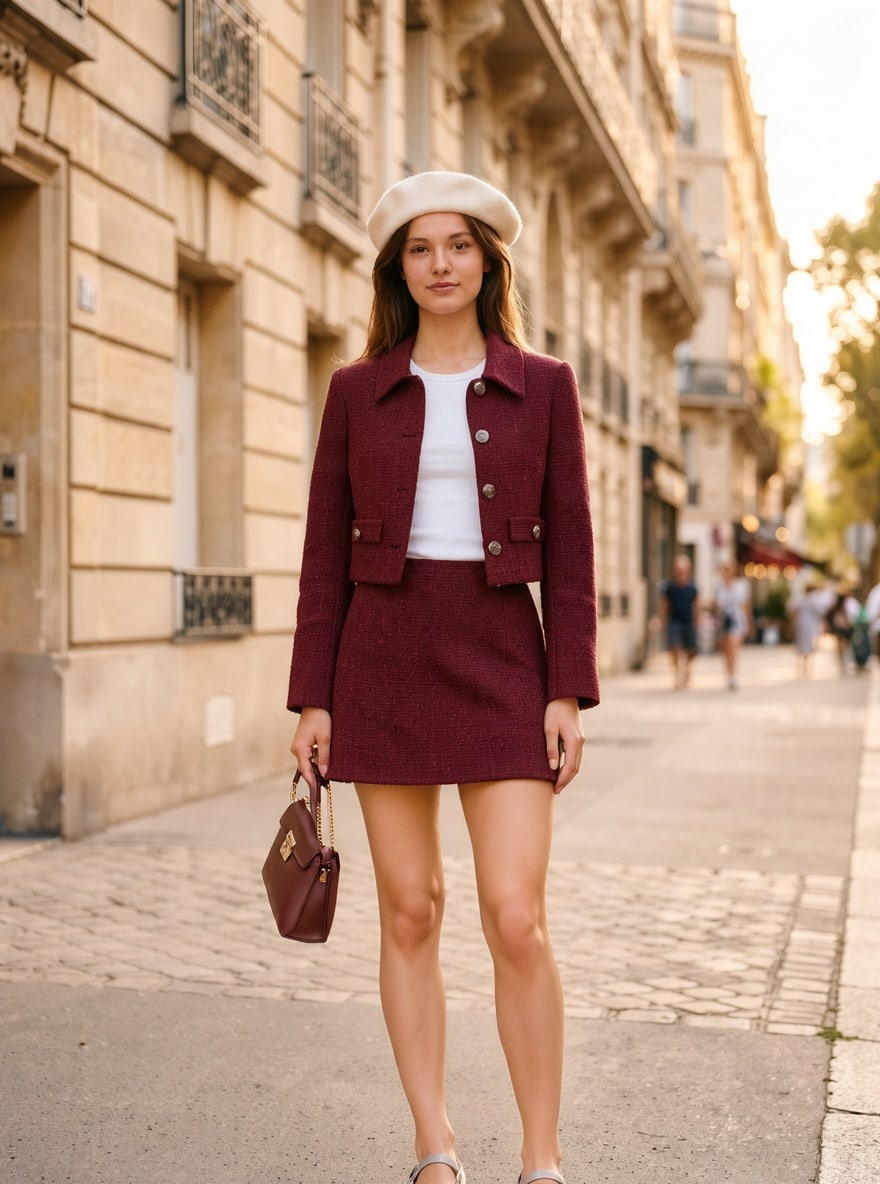
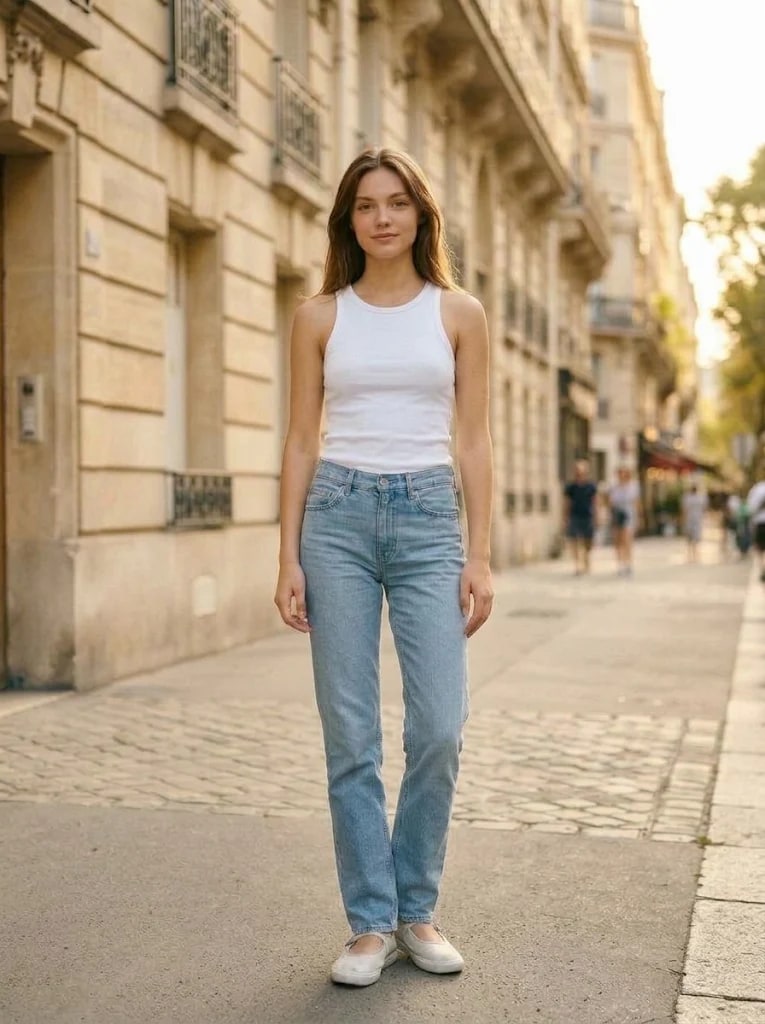
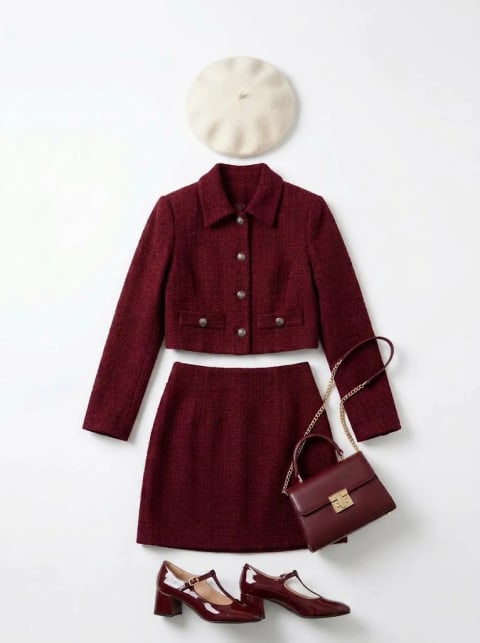
See it before you wear it — example
Your results show up here. Viewing them again is free.
Your photo
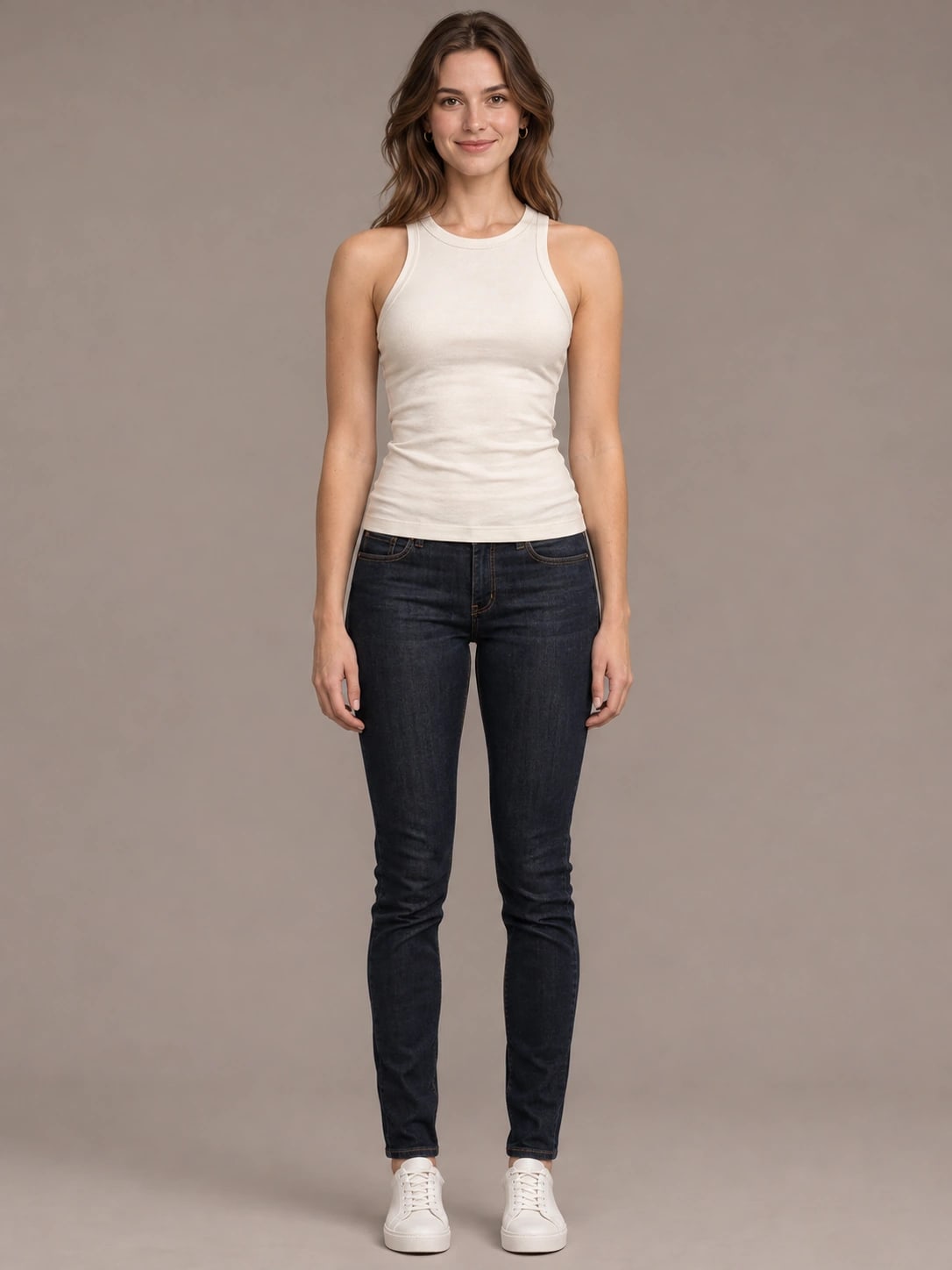
Front-facing works bestSample people (AI-generated, not real people)Deleted after 24h
Tip: one adult facing the camera, arms relaxed, waist-up or full-body.
Pick an outfit
(24 looks)Swipe for more · tap to select24 looks
Your first change with your own garment is free every day, no sign-in needed; after that it uses 1 credit. A product shot or flat-lay of one garment works best; underwear, swimwear and see-through garments aren’t supported.
Pick a photo and an outfit
Uses 1 of 3 free changes · Your photo stays loaded when you switch outfits
Resets every day at 00:00 UTC
Sorted by occasion
Start changing clothes right away
Results stay in My works
Three taps, one new outfit
No prompts to write and no settings to tune. The model redraws what you’re wearing and tries to keep your face and the rest of the photo.
Upload your photo
A front-facing photo of one adult, waist-up or full-body. Or start with one of our sample people.
Choose an outfit
Pick a preset by occasion — or upload a photo of any garment you want to try, free.
Keep switching
Not quite right? “Try next outfit” generates the next look straight away — your photo stays loaded.
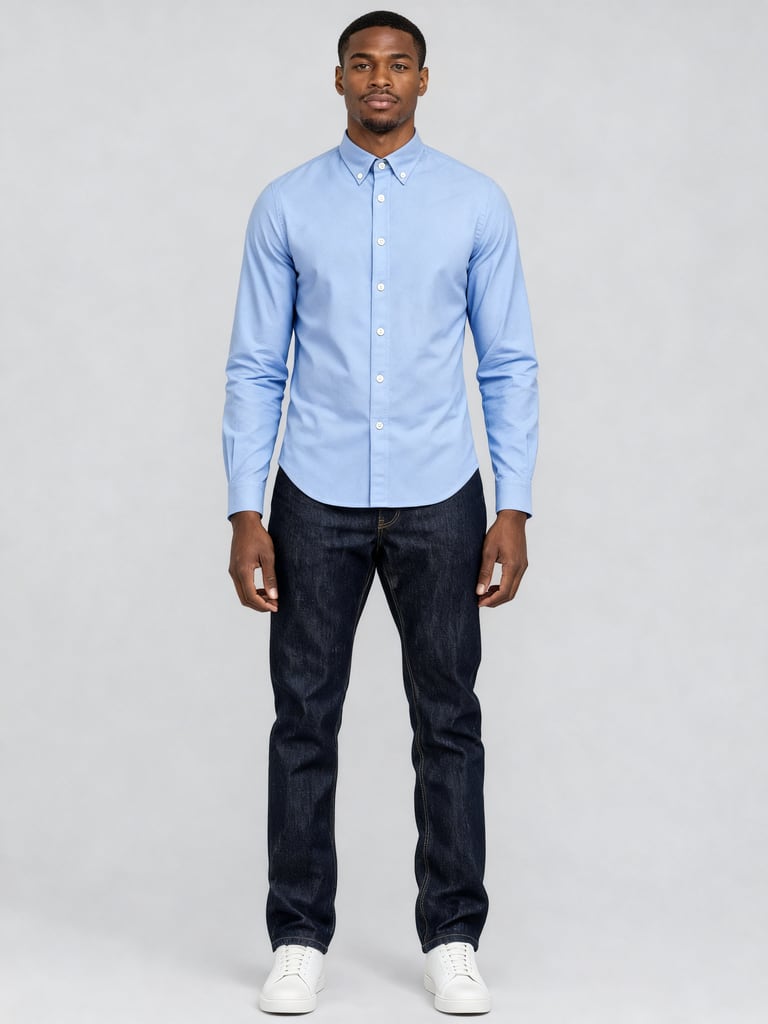
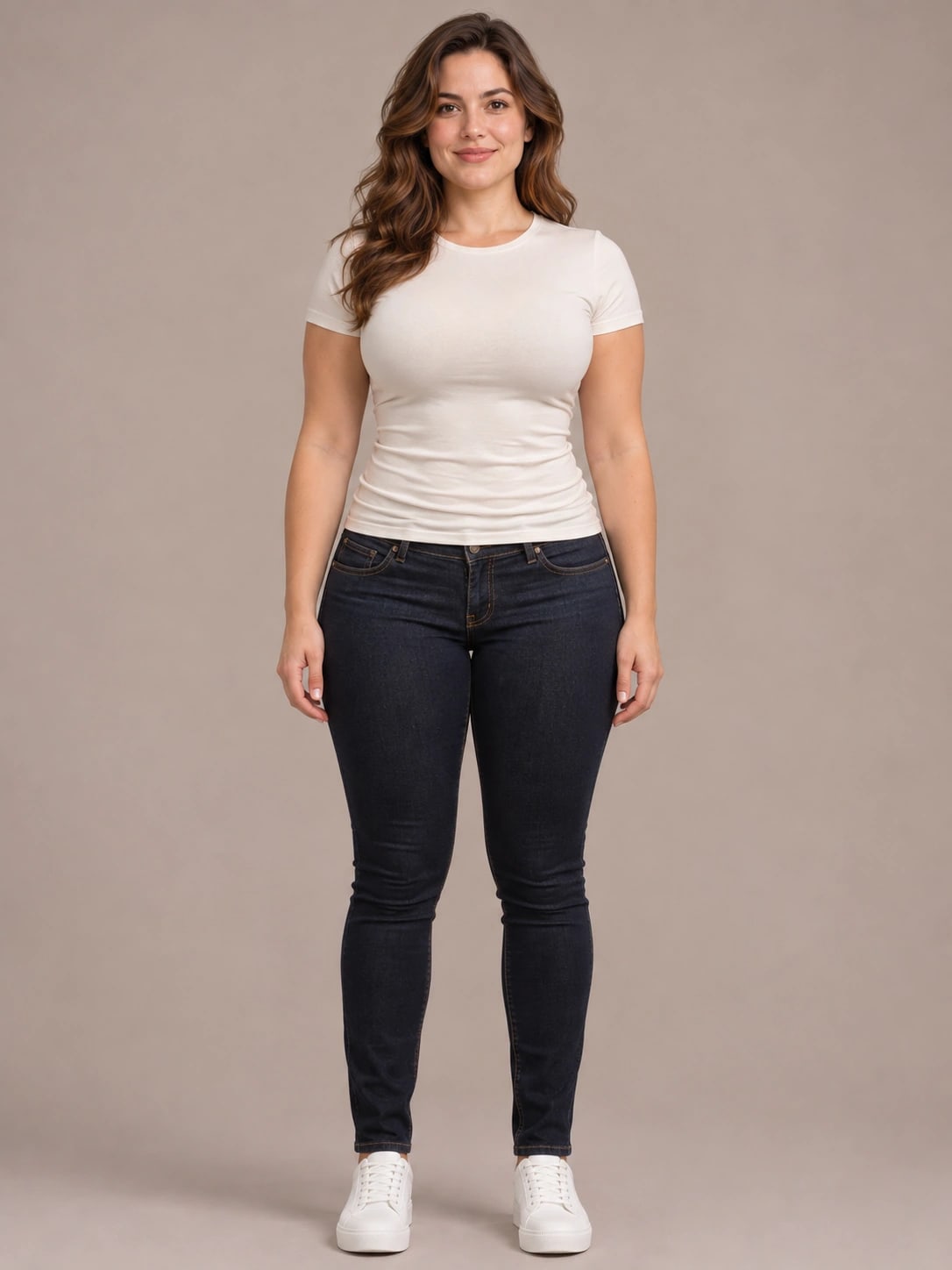
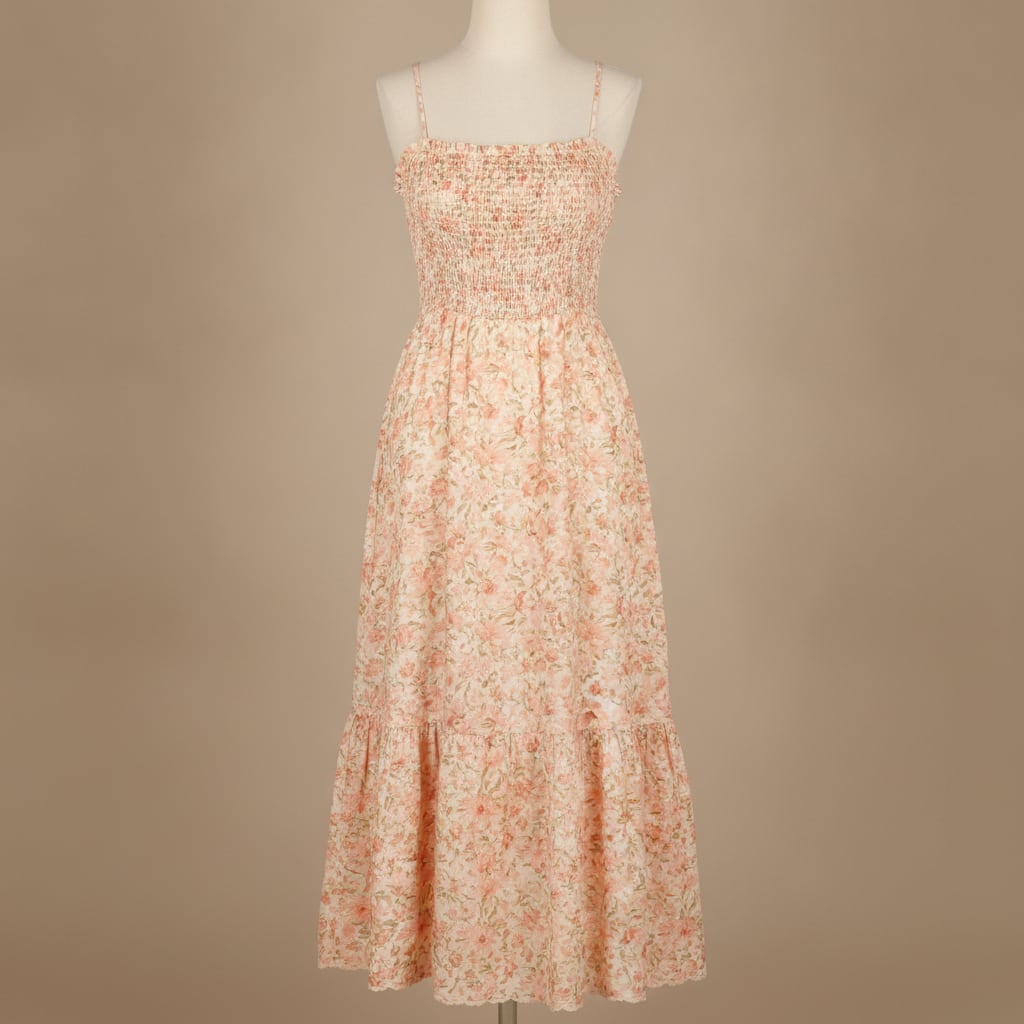
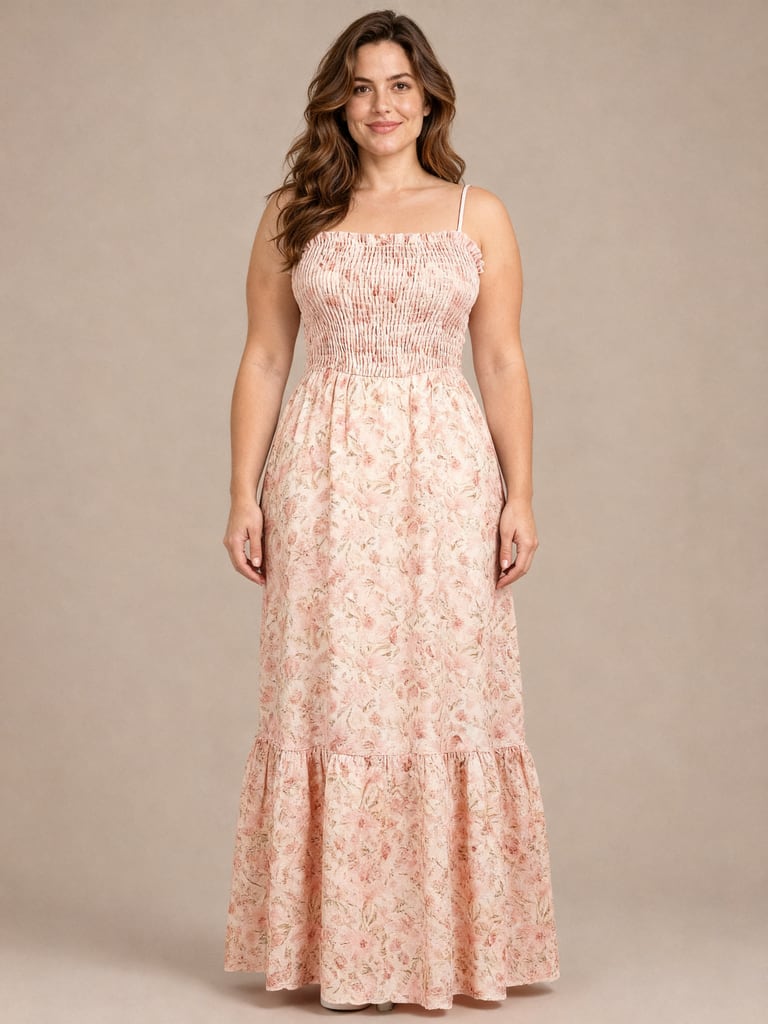
Original, garment, result
Made with the same model the changer uses, on our synthetic sample people. Nothing retouched.
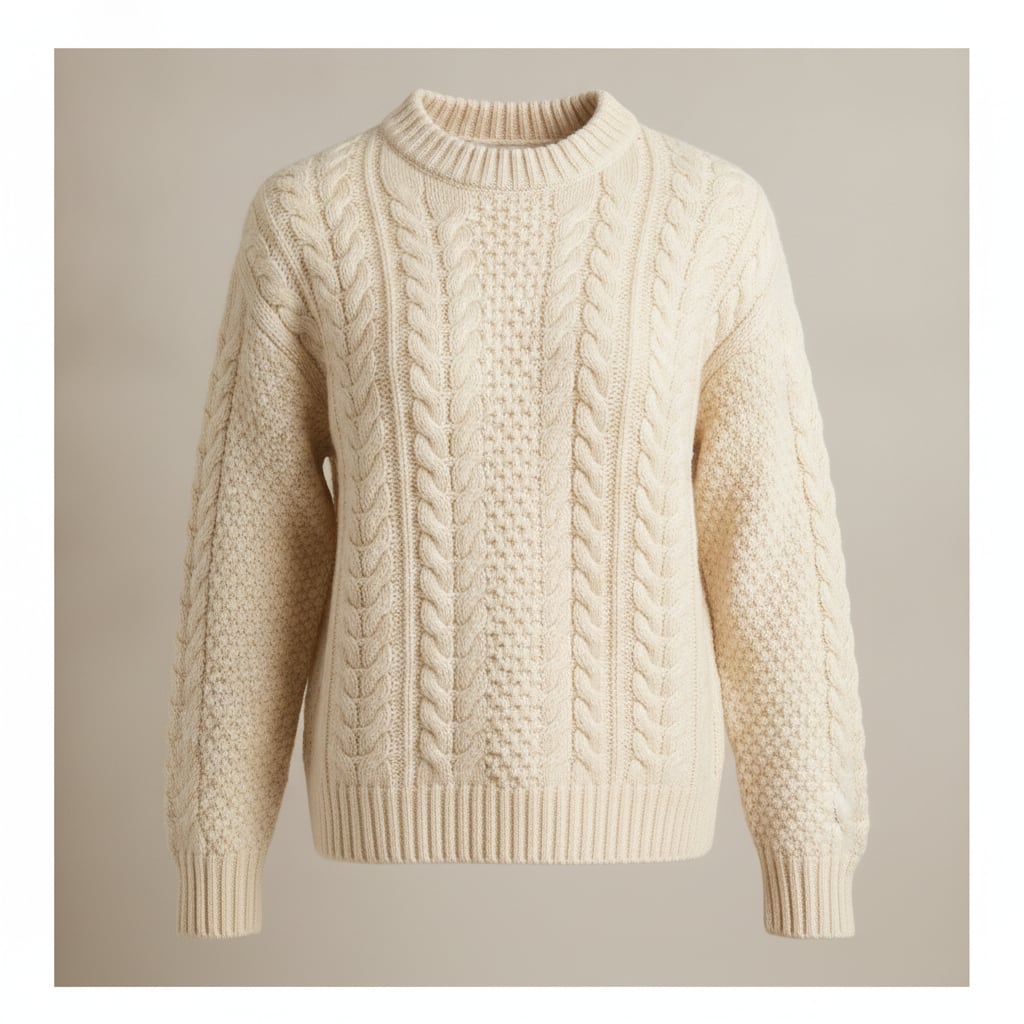
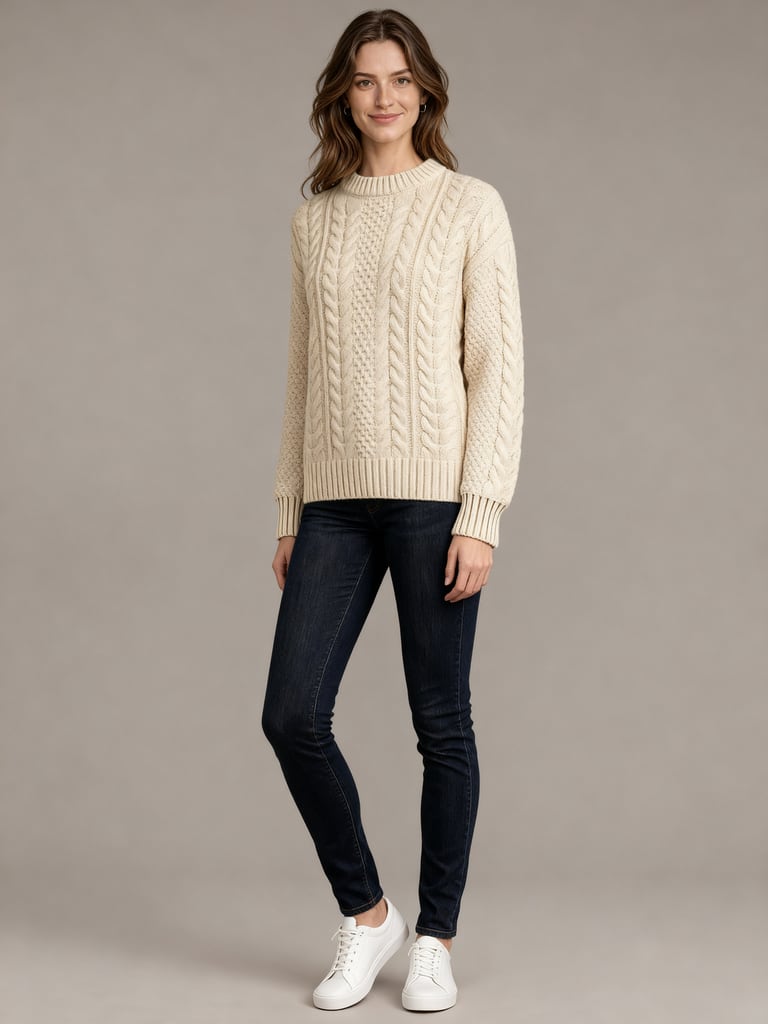 AI generated
Ava · Cable knit — a preview of how it looks, not a size or fit guarantee.
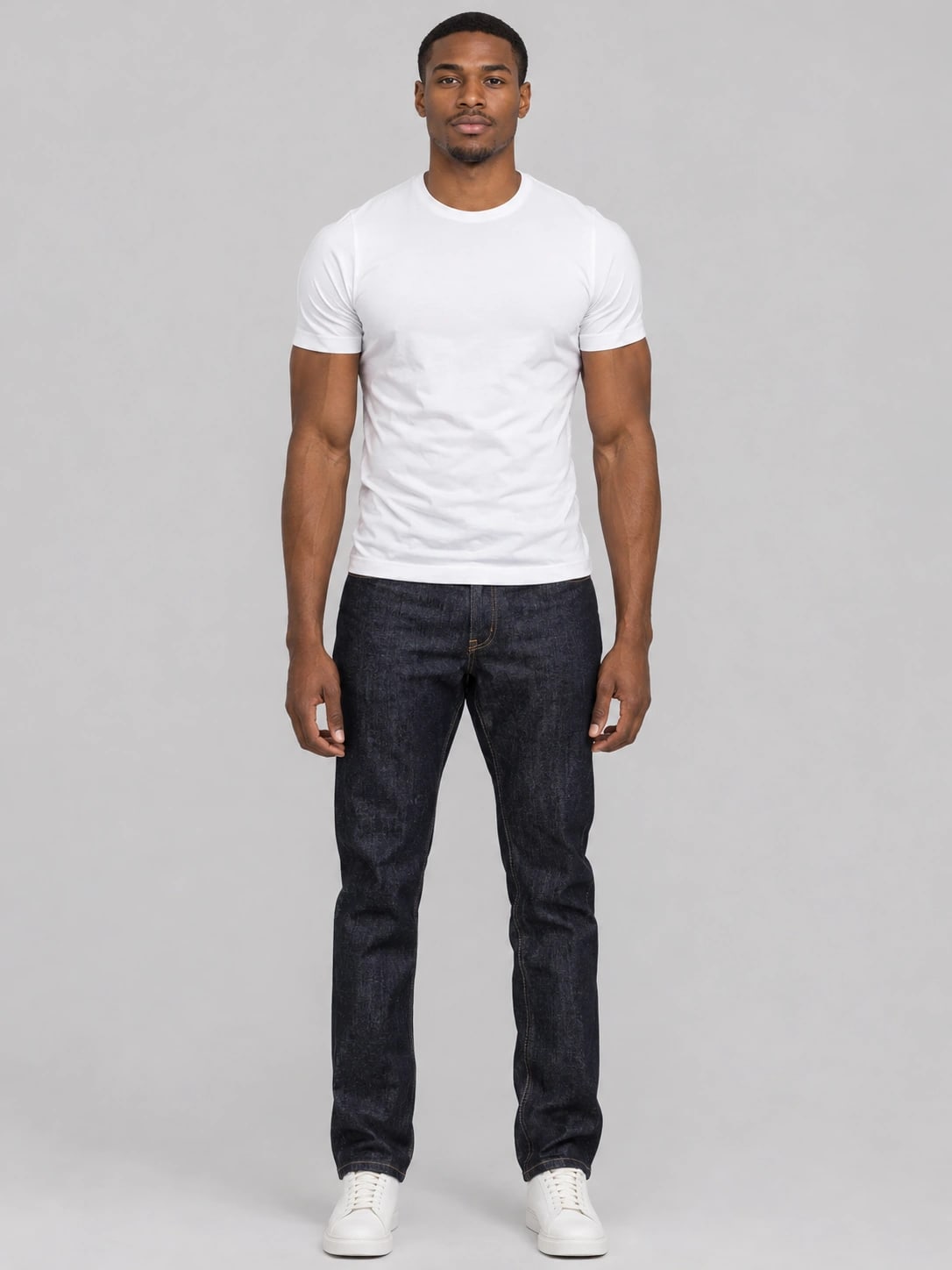
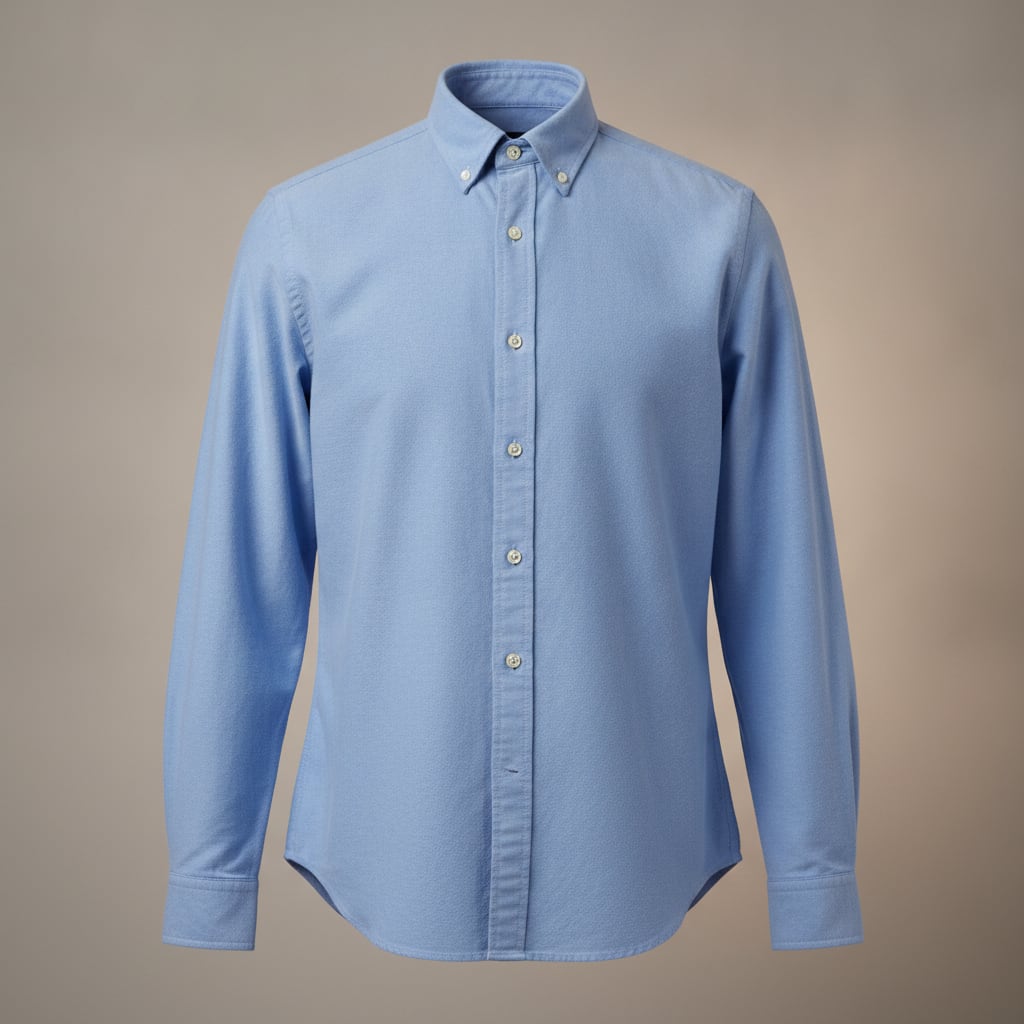
 AI generated
Kai · Oxford shirt — a preview of how it looks, not a size or fit guarantee.
 AI generated
Rosa · Floral sundress — a preview of how it looks, not a size or fit guarantee.
When a virtual try on helps
Before you buy online
Screenshot a product photo from any shop and run a virtual try on before you check out. Your first own-garment change each day is free.
Planning a look for an event
Use virtual try on with work, party and formal presets on your photo and settle on an outfit before the day.
Choosing between two pieces
Generate both garments, then switch the canvas to Compare 2 looks to see them side by side.
Trying a style you rarely wear
Curious about a long coat or a slip dress? See it on your own photo first, without a trip to the store.
Garments to try on
Tap any look to load it into the changer above.
Online try-on vs. the fitting room
A virtual try-on shows how a garment looks on you. It doesn’t tell you whether it fits — check the shop’s size chart before you buy.
Also try the clothes changer, AI outfit changer or AI clothes changer.
Shopping on Google? AI clothes changer vs Google Try-On
| Virtual try-on | Fitting room | |
|---|---|---|
| Where | Any phone or computer with a browser | In the store |
| Garments | 24 presets, or upload any garment | What the store stocks |
| Comparing looks | Two results side by side | One at a time, from memory |
| Shows size and fit | No — a visual preview only | Yes |
| Cost to try | 3 free a day, then 1 credit each | Free, plus the trip |
Free to try. Pay for quality.
Changing clothes is always free to try, with your own garment once a day. Credits get you HD or Ultra quality and results without the watermark.
3 changes a day, no signup
- All preset garments
- Your own garment on 1 free change a day
- Low-res preview (507 × 680 px)
- Faint diagonal ClothChanger watermark
- Resets every day at 00:00 UTC
70 credits
- Standard or HD: 1 credit a change
- Ultra (3072 × 4096 px): 3 credits
- No watermark, original file download
- HD: 1536 × 2048 px for a portrait photo
- Credits never expire
160 credits
- Standard or HD: 1 credit a change
- Ultra (3072 × 4096 px): 3 credits
- No watermark, original file download
- HD: 1536 × 2048 px for a portrait photo
- Credits never expire
Questions
How ClothChanger works, what happens to your photos and what credits unlock.
- Uploaded photos are deleted after 24 hours.
- Never used to train AI models or shown to other people.
- Results stay in your session history and My works.
- Failed or blocked changes are refunded automatically.
Is a virtual try on a size or fit guarantee?
No. The result is an AI-generated preview of how the garment looks on you. It doesn’t measure your body or the garment, so it can’t tell you whether a size will fit. Use the shop’s size chart for that.
Can I try on clothes from any online store?
Yes, free and with no account: one free change a day can use your own garment, and more cost 1 credit each. Upload a product photo, flat-lay or screenshot of the garment. A photo showing one garment on a plain background works best. Underwear, swimwear and see-through garments aren’t supported.
What kinds of clothes can I try on?
Tops such as shirts, jackets and coats, bottoms such as trousers and skirts, and full-length pieces such as dresses and gowns. Each change replaces one garment.
What photo works best for virtual try on?
A photo of one adult, front-facing, waist-up or full-body, with relaxed arms and even light. For trousers, skirts and dresses use a full-body photo so your legs are in frame.
Does it work on my phone?
Yes. ClothChanger runs in the browser on phones, tablets and computers. There is nothing to install.
Are the results labeled as AI?
Yes. Every result is labeled AI-generated on the site and in the image file, and free results also carry a faint diagonal ClothChanger watermark.
Is the AI clothes changer free?
Yes. You get 3 free changes every day without an account; they reset at 00:00 UTC. One of them can use your own garment photo. Free results are a low-res preview with a faint diagonal ClothChanger watermark. Credit packs give HD or Ultra quality and results without the watermark — you can also unlock HD for a result you already have.
Will my pose or background change?
The model focuses on the clothing and tries to keep your face, hair and background, but it is an AI model and the result is a new image. Sometimes your pose, the background or small details come out different from your photo. This happens most with crossed, raised or hidden arms and with sitting or turned poses. A clear, front-facing photo with relaxed arms gives the closest result. If one doesn’t look right, try another photo or garment.
Which AI model do you use?
Outfit changes are generated by an AI image-editing model. Uploaded photos are also checked by an AI safety model before anything is generated, and every result is checked before you see it.
What happens to my photos?
Your photo is used only to make your result. Uploaded photos are deleted from our storage after 24 hours, we don’t use them to train AI models, and we never show them to other people. Results stay in your session history and My works.
What can’t I do with it?
Clothes can only be replaced with other clothes — undressing, nudity and underwear edits are not supported, and we don’t do face swaps. Photos of minors and public figures are blocked, and you need consent from anyone you upload.